Claude.ai & MCP supported — another step towards a more powerful AdzviserRead Me

Free Sprout Social Google Sheets Report Templates

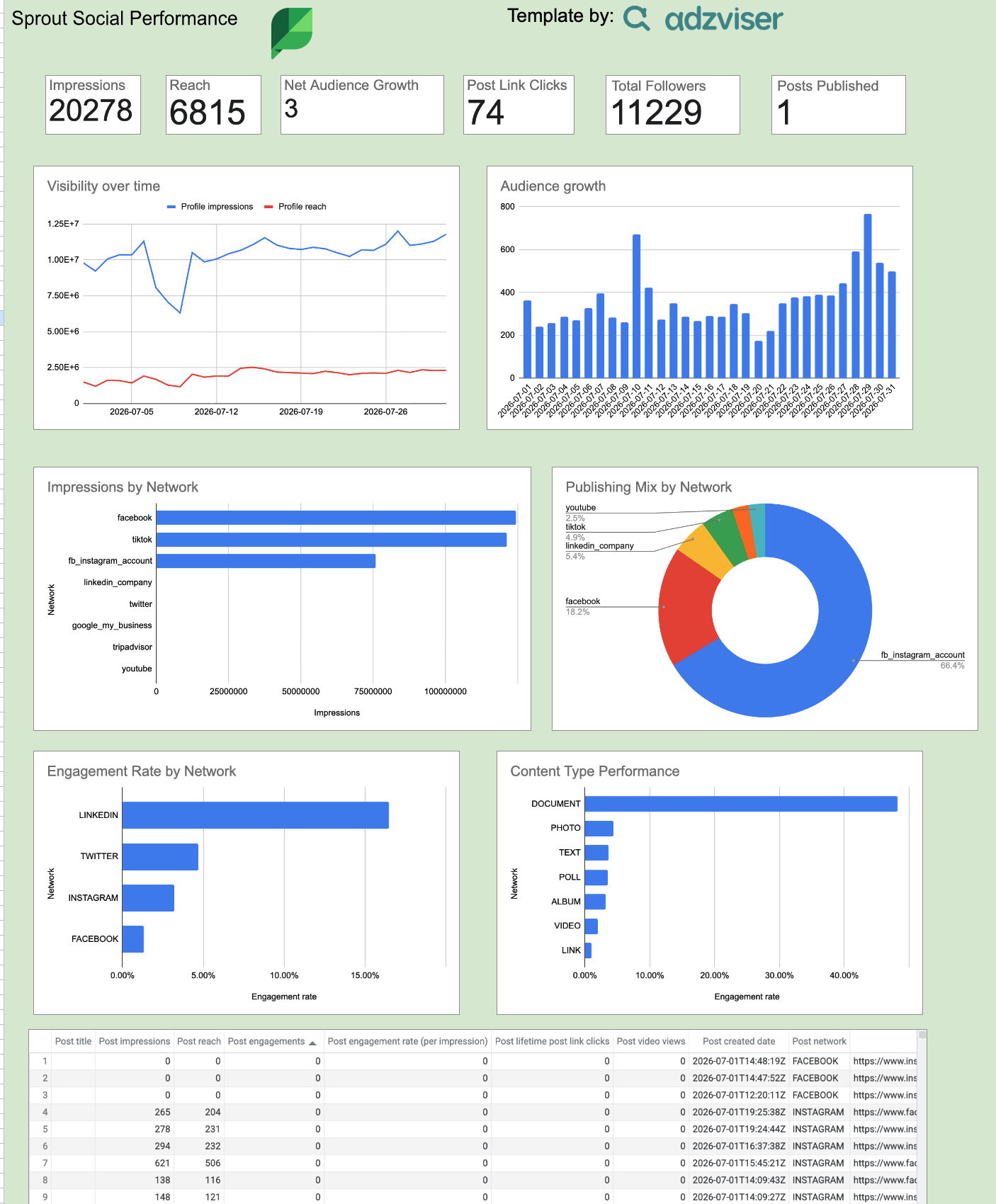
Choose a ready-to-use Sprout Social report template, connect live data with Adzviser, and start tracking performance in Google Sheets.

Free template gallery

Choose a Sprout Social Google Sheets Report Template

Start with the view that matches your reporting goal. Each template is designed for live Sprout Social data and can be customized in Google Sheets.

What you can report on

Sprout Social Metrics and Dimensions Included

The available templates cover practical Sprout Social performance fields, so you can analyze results without building every chart and table from scratch.

Popular metrics

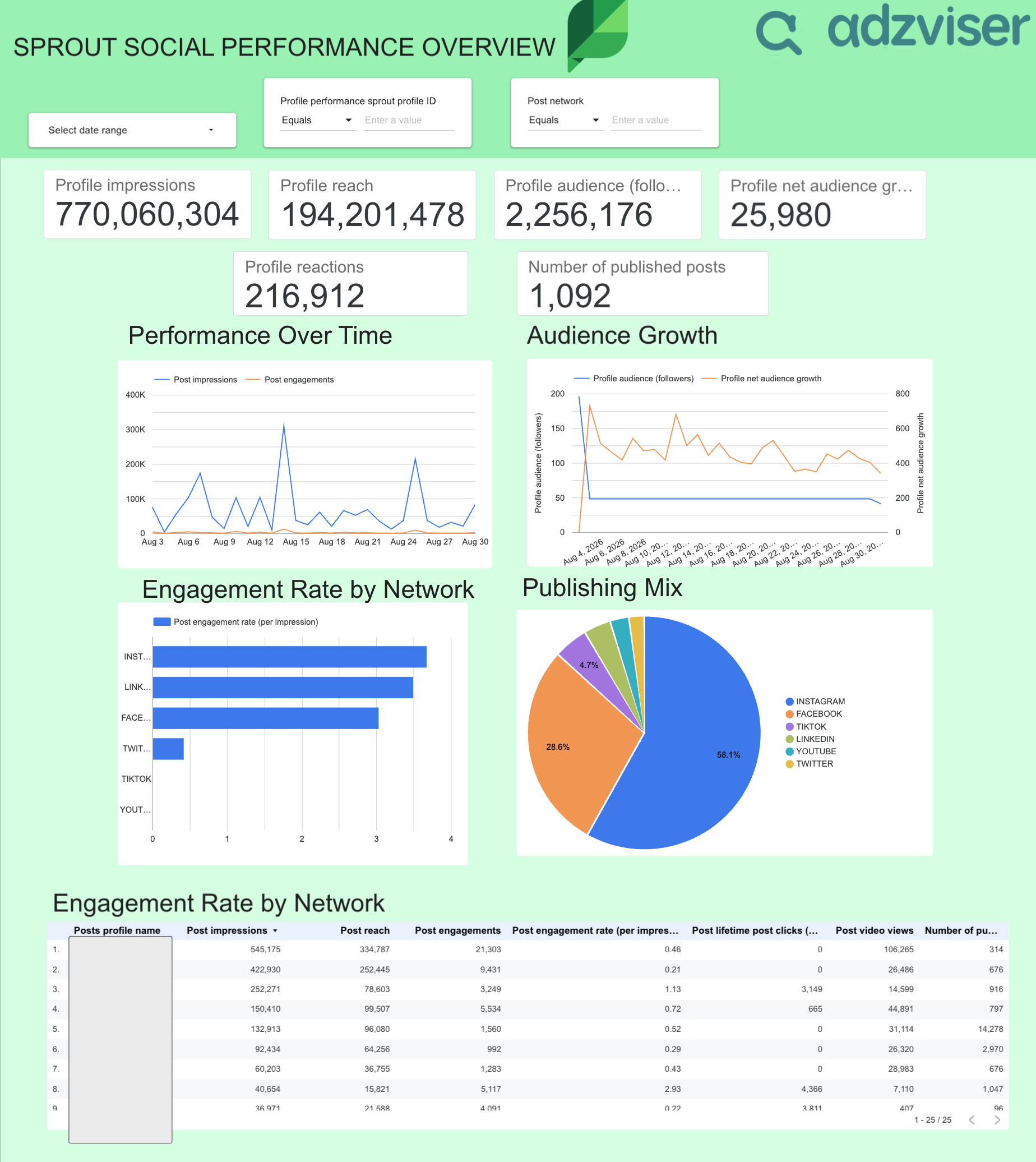
  • Profile Impressions
  • Profile Reach
  • Profile Audience (Followers)
  • Profile Audience Gained
  • Profile Audience Lost
  • Profile Net Audience Growth
  • Profile Post Link Clicks
  • Number Of Published Posts
  • Profile Video Views
  • Post Impressions
  • Post Reach
  • Post Engagements

Useful dimensions

  • Date
  • Profile Performance Profile Name
  • Profile Performance Network Type
  • Post ID
  • Post Created Date
  • Post Network
  • Post Content Type
  • Post Type
  • Post Title
  • Post Tags
  • Post Permalink
  • Post Thumbnail URL
Setup guide

How to Use a Sprout Social Google Sheets Template

Set up a live Sprout Social report in Google Sheets with the same guided workflow used across Adzviser integrations.

1

Choose a template

Open the report that best fits the Sprout Social results you want to monitor.

2

Connect Sprout Social

Authorize your account in Adzviser and select the accounts you want the template to report on. Explore the Sprout Social connector

3

Customize and share

Adjust date ranges, filters, charts, and branding directly in Google Sheets. Learn about Google Sheets

Sprout Social Google Sheets Template FAQs

Make a copy of the spreadsheet, connect Sprout Social to an Adzviser workspace, enter the workspace name in the adzviserQuery sheet, and run Refresh all queries from the Adzviser add-on. Open the Sprout Social connector page

The metrics and dimensions listed above are taken from the templates in this collection. Open an individual template to see its exact field set. You can then add or replace fields supported by the Sprout Social connector.

Yes. Connect the required accounts to your Adzviser workspace. You can select or query multiple accounts, or keep a separate template copy for each client when you need independent filters, access, and branding.

Run Refresh all queries whenever you need fresh data, or create a daily, weekly, or monthly automatic refresh trigger from the Schedule tab in the Adzviser Google Sheets add-on. See Google Sheets refresh instructions

Yes. Edit the copied workbook to change queries, date ranges, metrics, dimensions, formulas, pivot tables, charts, tabs, and formatting. Keep referenced columns stable or update dependent formulas after changing them.

Confirm that the Sprout Social account is connected, the workspace name in adzviserQuery is exact, and the Adzviser add-on is installed in your copied file. Then run Refresh all queries and review any error shown in the sidebar.

Yes. You can open, copy, and customize the templates for free. An Adzviser account is required when you replace the sample data with a live Sprout Social connection.

Start building reports
with Adzviser

Have a question?