+
+
LinkedIn Ads Creative Analysis Report
Analyze how each LinkedIn Ads creative performs — spend, impressions, reach, clicks, CPM, CTR, and engagement (reactions, shares, comments) tracked day by day.
Get the template →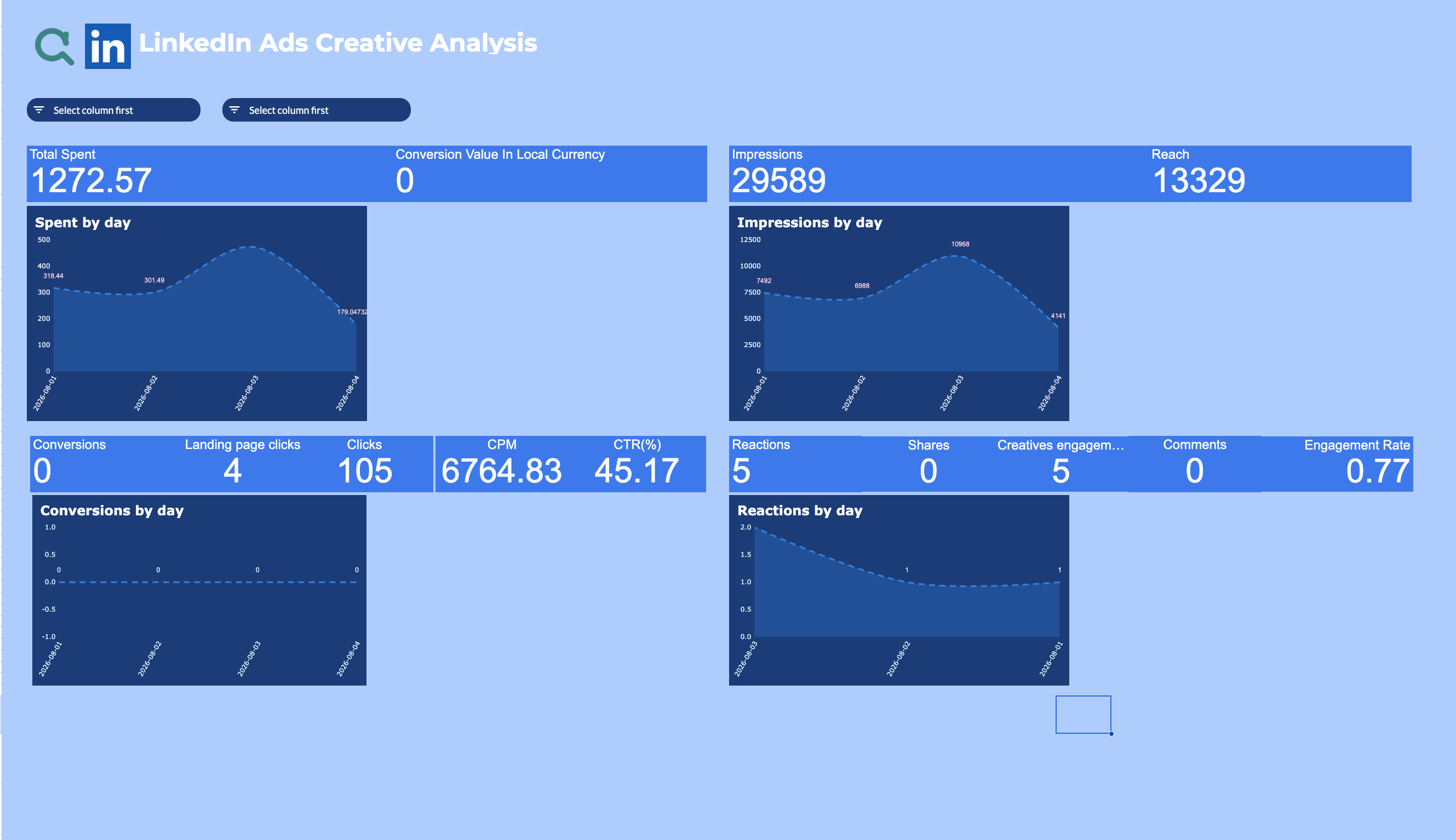
Metrics & Dimensions
The LinkedIn Ads metrics and dimensions this template is pre-built with — no manual setup needed.
Metrics
Dimensions
Template Features
Everything you need to build professional LinkedIn Ads reports.
- ✓Creative-level performance breakdown
- ✓Spend, impressions, and reach trends by day
- ✓Engagement tracking (reactions, shares, comments)
- ✓One-click data refresh from the sidebar
- ✓CPM and CTR calculated automatically
- ✓Conversions and landing page clicks by day
How to Get Started
Set up your LinkedIn Ads Google Sheets template in 3 simple steps.
Sign up for Adzviser
Create your account and start your 14-day trial for just $0.99. Cancel anytime.
Related Templates
Explore more templates for LinkedIn Ads or Google Sheets.



Frequently Asked Questions
Common questions about the LinkedIn Ads Creative Analysis Report.
Yes, this template is completely free to download and use. To connect your LinkedIn Ads data with Adzviser, you'll need an Adzviser account — Adzviser offers a 14-day trial for just $0.99 so you can try it out with minimal commitment.
Simply sign up for Adzviser, connect your LinkedIn Ads account through our secure OAuth flow, then install the Adzviser Google Sheets add-on and pull your data directly into the template.
You can refresh data on-demand with one click from the Adzviser sidebar, or set up automated scheduled refreshes to keep your reports always up-to-date.
Yes! The template is a regular Google Sheets file that you fully own. You can modify formulas, add new sheets, create custom charts, and adjust the layout to fit your workflow.
Adzviser supports 50+ data sources including Google Ads, Facebook Ads, TikTok Ads, Instagram, LinkedIn Ads, Shopify, HubSpot, and more. You can combine multiple sources in a single Google Sheets report for cross-channel analysis.
Start building reports
with Adzviser

Have a question?